2.4-代码
Sub 成绩查询()
    Set shtUI = ThisWorkbook.Worksheets("成绩查询界面")
    searchName = shtUI.Range("B1")

    '查询语文成绩
    Set shtYuwen = ThisWorkbook.Worksheets("语文")
    maxRow = shtYuwen.Cells(Rows.Count, "B").End(xlUp).Row
    For i = 2 To maxRow Step 1
        studentName = shtYuwen.Cells(i, "B")
        If searchName = studentName Then
            score = shtYuwen.Cells(i, "C")
            '将成绩返回首页
            shtUI.Range("B4") = score

        End If

    Next i

    '查询数学成绩
    Set shtShuxue = ThisWorkbook.Worksheets("数学")
    maxRow = shtShuxue.Cells(Rows.Count, "B").End(xlUp).Row
    For i = 2 To maxRow Step 1
        studentName = shtShuxue.Cells(i, "B")
        If searchName = studentName Then
            score = shtShuxue.Cells(i, "C")
            '将成绩返回首页
            shtUI.Range("B5") = score

        End If

    Next i

    '查询英语成绩
    Set shtYingyu = ThisWorkbook.Worksheets("英语")
    maxRow = shtYingyu.Cells(Rows.Count, "B").End(xlUp).Row
    For i = 2 To maxRow Step 1
        studentName = shtYingyu.Cells(i, "B")
        If searchName = studentName Then
            score = shtYingyu.Cells(i, "C")
            '将成绩返回首页
            shtUI.Range("B6") = score

        End If

    Next i

End Sub
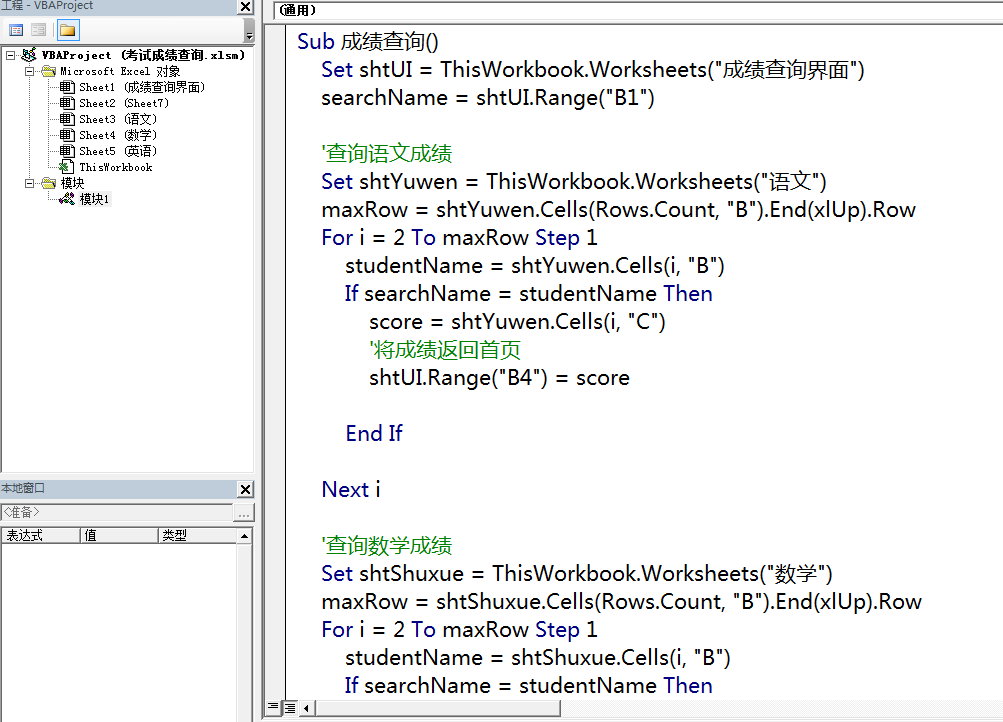
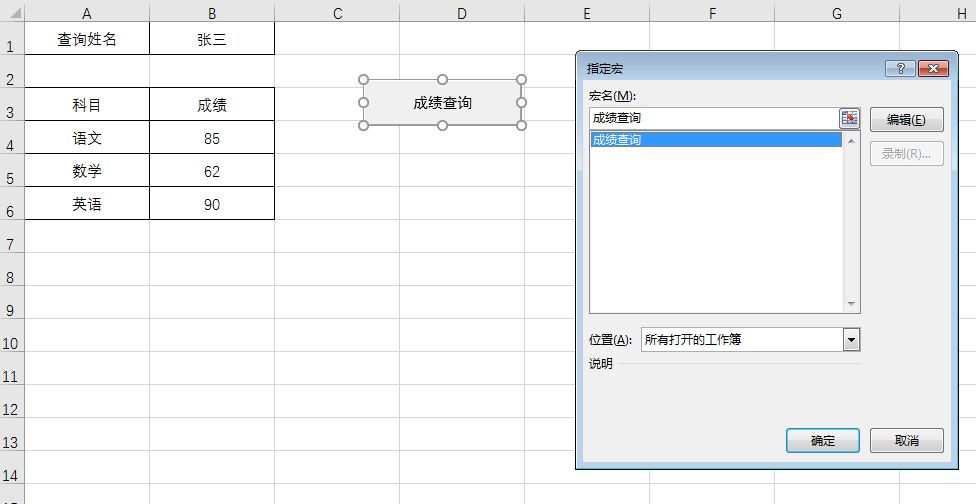
以上代码写在一个模块中(模块创建:VBE界面中,插入菜单-模块),如图2-7所示。写完代码以后,右键点击成绩查询界面工作表中的成绩查询按钮,在弹出的窗口中选择指定宏,进而在图2-8的窗口中关联后台的VBA代码。这样以后执行代码时,只要点击该按钮即可,对于不懂代码的人,也可以使用该功能。